What is a Digital Kiosk Printer and How Does It Work?
In today's digital age, the importance of easy access to printing services is undeniable. A Digital kiosk printer is a key solution offering convenience to users. According to John Smith, a recognized expert in the printing industry, "Digital kiosk printers transform how we interact with print technology." His insights highlight the printer's utility in various settings.
Digital kiosk printers allow users to print documents, photos, and more without complicated setups. These machines can be found in libraries, shopping malls, and airports. They provide a seamless experience for users seeking instant results. However, not all kiosk printers are created equal. Some may fall short in quality or ease of use, leaving customers frustrated.
The reliability of these printers also requires reflection. While many offer quick solutions, the potential for mechanical failures can inconvenience users. As the industry evolves, continuous improvement is necessary. Digital kiosk printers pave the way for innovative printing solutions, but challenges remain. This dual nature drives the ongoing dialogue about their effectiveness and future.
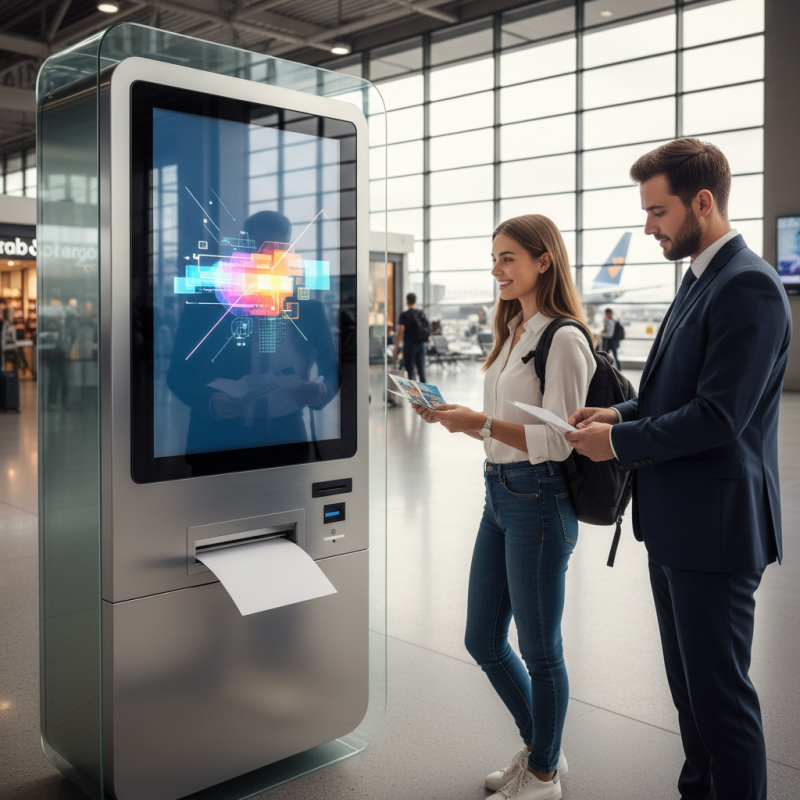
What is a Digital Kiosk Printer?
A digital kiosk printer is a self-service device that allows users to print documents and photos easily. These printers are found in various locations like malls, airports, and libraries. Users can access the kiosk, select files to print, and choose their preferred print options. This technology serves both convenience and efficiency, catering to people on the go.
The operation of a digital kiosk printer is straightforward. Users often upload files via USB, email, or a cloud service. After selecting print settings, the kiosk processes the files. The quality is usually decent, but it may vary based on the kiosk's capabilities. Some users find the interface confusing. That's an area for improvement. The interaction can be seamless, but technical errors sometimes occur. Those issues can lead to frustration.
Many kiosks also offer additional features. These can include scanning, copying, and even sending documents digitally. However, not all kiosks have the same functionalities. Users might face limitations when trying to print specific formats or sizes. Overall, digital kiosk printers aim to simplify printing while also needing regular updates to enhance user experience.
Key Features of Digital Kiosk Printers
Digital kiosk printers are versatile machines found in various settings. These printers are user-friendly and efficient. They allow customers to print documents quickly and easily. Many businesses use them for ticketing, boarding passes, and event prints.
One key feature of digital kiosk printers is their touchscreen interface. This feature enhances user experience. It allows customers to navigate options easily. Additionally, these printers often support various media types. This means you can print on everything from standard paper to glossy photo paper.
Tips: Ensure the kiosk is well-maintained to avoid paper jams. Regular checks can prevent unexpected downtimes. Also, consider placing instructions visibly to aid users. This can significantly reduce confusion.
Another important aspect is connectivity. Digital kiosk printers often connect to Wi-Fi or local networks. This capability allows for remote monitoring and management. It also enables users to send print jobs from their devices.
Tips: Always test the connection before major events. Users will appreciate a seamless printing experience. Make sure the printer's software is up-to-date for optimal performance. Small updates can prevent larger issues.
How Digital Kiosk Printers Operate
Digital kiosk printers are revolutionizing how businesses interact with customers. These machines operate with cutting-edge technology to produce printed materials on demand. Users can select their preferences, such as printing documents or photos, directly from a touchscreen interface. The internal software processes requests swiftly, ensuring a smooth user experience. Recent studies show that the market for kiosk printing is expected to grow by over 25% in the next five years, highlighting its rising popularity.
Tips: Ensure your kiosk is user-friendly. Clear instructions on the screen can enhance user experience. Frequent system checks can help minimize errors during printing.
Digital kiosk printers operate with various connectivity options, including Wi-Fi and Bluetooth. This flexibility allows users to print directly from smartphones or laptops. As technology advances, the quality of prints continues to improve. However, some kiosks may struggle with high-resolution images, leading to unexpected outcomes. It's important to address these issues proactively. Regular updates to the software can aid in maintaining print quality and speed.
Tips: Keep the printer well-maintained. Regular cleaning can prevent common problems. Additionally, consider setting up a feedback system to enhance the service over time. Listening to user experiences can guide better future improvements.
Applications of Digital Kiosk Printers in Various Industries
Digital kiosk printers are transforming various industries by providing on-demand printing solutions. In retail, they enable customers to print receipts, promotional materials, and custom labels instantly. Shoppers appreciate these kiosks for their convenience. They can design products directly from their mobile devices and see the result in real-time. However, connectivity issues can sometimes hinder a smooth experience.
In the hospitality sector, digital kiosk printers serve restaurant menus and event tickets. Patrons can customize their orders at kiosks, which helps streamline operations. Yet, not all kiosks are user-friendly. Design flaws can lead to confusion or dissatisfaction. This highlights the need for continual improvements in user interface design.
Healthcare facilities employ these printers for patient documentation. They allow for easy printing of wristbands and informational brochures. These kiosks facilitate better patient care by reducing wait times. Still, technical malfunctions can occur, causing delays. Addressing these issues is essential for enhancing efficiency and reliability.
Benefits of Using Digital Kiosk Printers for Businesses
Digital kiosk printers offer numerous benefits for businesses looking to enhance customer engagement and streamline operations. These self-service machines allow customers to print documents, photos, or even tickets quickly and easily. By placing them in strategic locations, businesses can reduce wait times and improve overall customer satisfaction. In busy retail environments, for example, having a kiosk printer nearby can significantly decrease congestion at service counters.
Moreover, digital kiosk printers can be customized to display branding and advertising materials. This not only provides an additional revenue stream but also helps to create an immersive experience for the customer. However, it’s important to ensure that these machines are user-friendly. A complicated interface can frustrate users, potentially leading to negative experiences. Regular maintenance is also crucial to keep the kiosks functioning properly. A malfunctioning printer can cause delays and hinder customer service.
While the advantages are clear, businesses should reflect on their implementation strategies. Will the kiosks meet the specific needs of their target audience? Are they located in the most effective areas? It's essential to monitor user interactions to continuously improve the service. Understanding customer feedback can lead to better functionality and design choices.
