How to Choose a Thermal Receipt Printer
Choosing a Thermal Receipt Printer is less about buying the fastest machine and more about matching it to your counter. A café printing hundreds of orders each hour needs a different setup from a small studio issuing occasional receipts. Start with your daily volume, receipt width, and available counter space. Then check whether the printer supports your point-of-sale system and connection type, such as USB, Ethernet, or Bluetooth.
Thermal-printing systems specialist Maya Chen puts the practical rule this way: “A printer earns its place when it stays readable, connected, and ready during the busiest shift.” That means looking beyond the speed figure on the box. Check print resolution, supported paper sizes, cutter design, and manufacturer guidance for expected workloads. Ask how easily staff can reload a paper roll. Small details matter. A cramped counter can turn a simple paper change into an irritating interruption.
If possible, test a sample receipt with your actual layout. Fine text, logos, and barcodes may look different on paper than on a screen. Confirm that the printer works with your existing software before ordering. Also consider who will clean and maintain it, and whether replacement rolls are easy to source. A premium model is not automatically the better choice; a cheaper one may disappoint under steady use. I would not choose from specifications alone. Real counter conditions are messier than product sheets, and that is worth remembering.
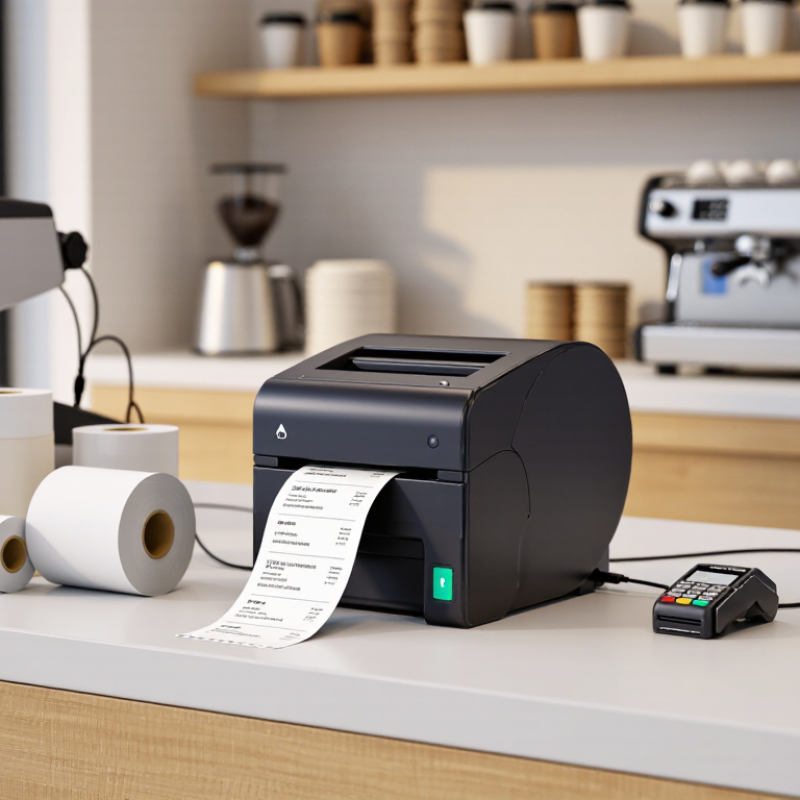
Identify Your Receipt Volume and Operating Environment
Before comparing thermal receipt printers, estimate how many receipts you print on an ordinary day and during your busiest hour. A small café may print few receipts overall but face a sharp lunch rush. Record transaction counts for a representative week, then note when queues form and how often staff replace paper rolls. Peak demand matters. A printer that handles a daily average may still slow service during a brief rush. These estimates are imperfect; promotions and seasonal shifts can change them.
Next, examine the printer’s actual surroundings. Measure the counter space and check whether the unit sits near a hot oven, a sunny window, or a sink. Heat and direct sunlight can affect thermal paper, while splashes and dust may shorten equipment life. In a cramped checkout area, a compact design and accessible paper cover can make routine changes easier. For a busy kitchen, consider whether the printer can be mounted safely and whether its connections suit the distance from the register. Watch a full shift, not just a quiet moment. One overlooked detail is how often staff bump the counter.
How to Choose a Thermal Receipt Printer
Identify your receipt volume and operating environment.
These are illustrative planning scenarios, not industry averages or printer limits. Estimate receipts on a busy day, then check the printer’s rated print speed and duty cycle. For dusty, greasy, humid, or unusually hot or cold locations, verify the printer’s published operating-environment specifications before choosing a model.
Check Connectivity and Compatibility With Your POS System
Before choosing a thermal receipt printer, check the exact POS model, operating system, and connection ports. A printer may support USB, Ethernet, Bluetooth, or Wi-Fi, but that does not guarantee your POS can find it. Confirm supported drivers and receipt-command languages, such as ESC/POS. Also verify paper width and whether the setup needs a cash-drawer connection.
Compatibility affects everyday checkout, not just installation. The Federal Reserve’s 2024 Diary of Consumer Payment Choice reports that cash made up 16% of consumer payments in 2023. Your POS may therefore need to handle both printed receipts and varied payment workflows. Ask the POS provider for its supported-printer list, then confirm the printer’s interface and software requirements against it. A connection that works on a laptop may still fail inside a tablet-based checkout app.
Test it live. Print a sale, a refund, and a long receipt using the actual POS device. Check that text is legible, the cutter works, and the printer reconnects after a restart. I once overlooked sleep settings; the first test passed, but the next shift had to reconnect the printer manually. Small detail, real delay. If possible, test the intended network and cable length before ordering several units.
Compare Printing Speed, Durability, and Operating Costs
How to Choose a Thermal Receipt Printer
Compare speed using the receipts your staff actually print. A stated millimeter-per-second rate is useful, but logos, dense text, and cutter cycles can slow real transactions. Test a full receipt at peak hours. A few seconds matter when a queue reaches the door.
Durability is more than a rugged case. Check the printhead’s rated service life, cutter-cycle rating, and warranty terms, then compare them with your daily receipt volume. Ask how those ratings were tested; lab conditions may not match a hot counter or dusty kitchen. I would not treat a rating as a promise. Paper quality and cleaning habits also affect print consistency.
Operating costs include paper, replacement parts, downtime, and electricity. The U.S. Energy Information Administration’s 2023 Electric Power Annual reported a commercial electricity price of about 12.7 cents per kilowatt-hour. At that rate, a printer averaging 10 watts for eight hours daily costs roughly $3.70 a year in electricity; actual draw varies, so measure it. Small figure. Paper can cost more. Compare roll width, length, and price per usable receipt, not just the box price. A cheaper unit may look sensible until frequent jams or head replacements interrupt service.
How to Choose a Thermal Receipt Printer - Compare Printing Speed, Durability, and Operating Costs
| Printer category | Typical print speed | Paper width | Durability to compare | Operating-cost considerations | Best suited for |
| Compact 58 mm desktop | About 50–100 mm/s | Usually 58 mm | Check the rated printhead life; entry-level models may have lower duty-cycle ratings than commercial units. | Uses thermal paper without ink or toner. Narrower receipts can use less paper, depending on receipt length and layout. | Low-volume counters, small shops, and simple receipt printing |
| Standard 80 mm desktop | About 150–250 mm/s | Usually 80 mm | Compare printhead-life and auto-cutter ratings; commercial models commonly specify these separately. | No ink or toner expense. Paper use depends on receipt length, paper grade, and how often receipts are printed. | Most retail checkouts and food-service counters |
| High-volume 80 mm desktop | About 250–350 mm/s | Usually 80 mm | Prioritize higher rated printhead life, cutter life, and a duty cycle designed for frequent daily use. | Higher purchase price may be offset by less checkout waiting and fewer interruptions in busy locations. Paper remains an ongoing consumable. | Busy stores, kitchens, and locations with sustained transaction volume |
| Mobile thermal printer | Often about 50–100 mm/s | Commonly 58 mm; some models support wider rolls | Check drop-resistance claims, battery replacement availability, and the printhead-life rating. | No ink or toner, but battery charging or replacement adds a cost. Paper-roll size and availability affect ongoing expense. | Delivery, field service, curbside sales, and other on-the-go transactions |
Typical ranges are indicative, not guaranteed specifications. Actual speed and service life vary by model, print density, usage, paper quality, and maintenance. Compare printhead life and cutter life in the manufacturer's rated specifications. Estimate paper cost using your receipt length, roll capacity, and local paper prices.
Evaluate Support, Warranty, and Total Ownership Value
How to Choose a Thermal Receipt Printer
Evaluate Support, Warranty, and Total Ownership Value
A low purchase price can hide expensive support gaps. Check warranty length, what it excludes, and whether the printhead and cutter are covered. Ask how quickly a technician responds, whether replacement parts are stocked locally, and if support includes setup help. Check the fine print. A printer that waits days for a repair may disrupt a busy checkout counter, even if its warranty looks generous.
Uptime Institute’s 2024 Annual Outage Analysis reported that 54% of surveyed data-center operators said their most recent significant outage cost more than $100,000. That figure is not a receipt-printer benchmark; it does show why downtime deserves a place in cost planning. Estimate ownership costs over three to five years: purchase, paper waste, service, replacement parts, and lost checkout time. For a counter printing 1,000 receipts daily, even brief interruptions can add up. Small costs compound. Still, these estimates are imperfect: traffic varies, and staff may find workarounds. Compare written service commitments and calculate cost per operating year, not just the sticker price.
