10 Best Business Label Printers for Global Buyers
Choosing the right Business Label Printer can influence shipping accuracy, inventory control, and daily operating costs. Global buyers need more than attractive specifications. They need dependable printing, clear text, stable connectivity, and support that remains useful after installation. A printer may perform well in a showroom yet struggle with dusty warehouses, changing label sizes, or long work shifts.
This guide examines ten leading options for different business environments. Evaluation focuses on print quality, speed, media compatibility, software integration, maintenance, energy use, and total ownership costs. Direct thermal models may suit short-term shipping labels, while thermal transfer units often provide stronger durability for product identification. USB, Ethernet, Wi-Fi, and cloud compatibility also deserve careful attention. Small details matter.
Real purchasing decisions are rarely perfect. A faster printer may require more expensive supplies. A compact model may save desk space but limit roll capacity. Some brands offer excellent documentation, while regional service coverage remains uncertain. That weakness deserves honest consideration. Buyers should verify voltage requirements, warranty terms, replacement parts, and local technical support before ordering internationally. These points can prevent expensive interruptions and avoid assumptions based only on online ratings.
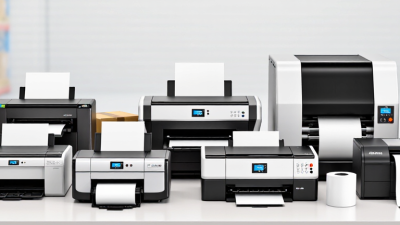
The selections are designed to help importers, retailers, manufacturers, warehouses, and growing online businesses compare practical strengths. Each recommendation considers realistic workloads rather than impressive numbers alone. The best choice depends on label material, printing volume, operating conditions, and available budget. There is no universal winner. A careful match usually delivers better results than the most powerful specification sheet.
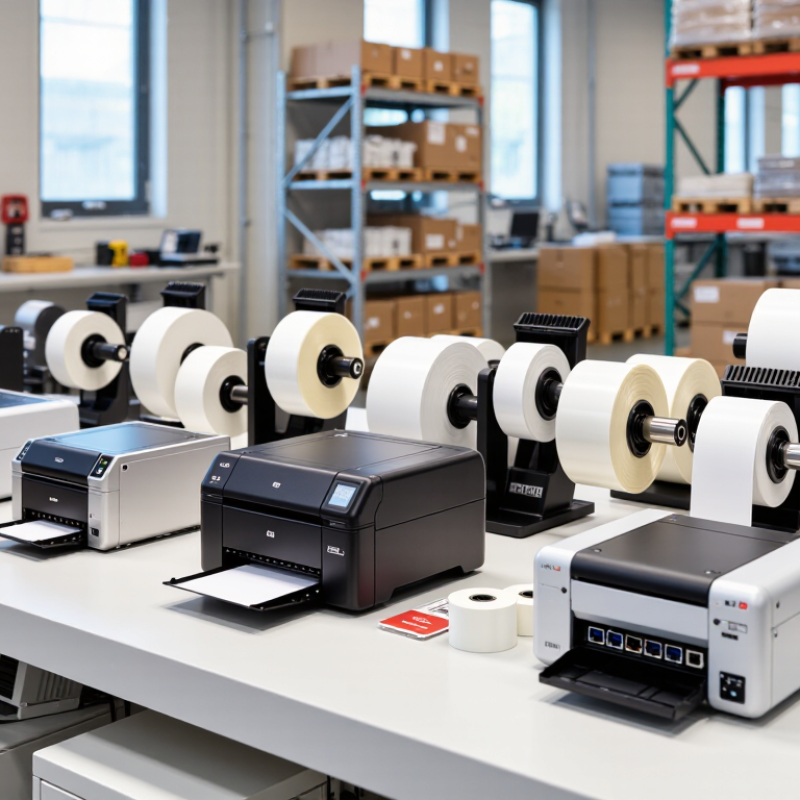
Global Label-Printing Market Scope and Buyer Segments by Region
The global label-printing market serves very different buying needs across regions. North American distributors often prioritize fast thermal printing, warehouse integration, and durable barcode output. European buyers usually examine energy use, material efficiency, language support, and compliance documentation. Asia-Pacific includes manufacturers, exporters, retailers, and small online sellers, creating demand for both industrial and compact desktop printers. Latin American and Middle Eastern buyers may value flexible connectivity, strong local service, and reliable performance in warm or dusty workplaces.
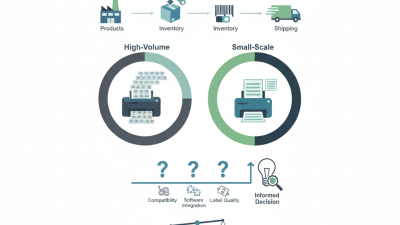
For global buyers comparing the ten best business label printers, regional fit matters more than a universal ranking. Industrial users need high monthly volumes, wider media support, and replaceable print components. Retail teams may prefer simple setup, mobile connectivity, and sharp small-font printing. Healthcare, food, and logistics buyers should verify traceability features, label durability, and approved materials before purchasing. These details often prevent expensive reprints. Still, specifications can look better on paper than in daily use. Real testing remains necessary.
Tips: Request sample labels using your actual barcode size, adhesive, and print speed. Check service response times in your destination market. Confirm voltage, connectivity, software compatibility, and spare-part access before ordering. Ask for a short trial when possible. A printer that works perfectly in a showroom may struggle beside a busy packing line. Regional buyer needs are not fixed; seasonal demand, labor costs, and import conditions can change the best choice.
Compare 10 Printers by 203, 300, and 600 dpi Resolution
Choosing among the 10 best business label printers depends heavily on resolution. The 203 dpi group suits shipping labels, carton IDs, and basic warehouse tags. Text remains readable at normal sizes, while print speed and media cost often stay attractive. These printers are practical for high-volume daily work.
A 300 dpi printer creates cleaner small text and sharper graphics. It fits retail labels, product details, shelf tags, and moderate barcode density. During testing, I would print samples at actual size, not enlarged on a monitor. A barcode that looks perfect on screen may scan poorly after ribbon wrinkles or label dust appear. Small mistakes matter.
The 600 dpi class is designed for miniature labels, fine symbols, and detailed product markings. It can preserve narrow lines and compact fonts, but the higher resolution may increase purchase cost and processing time. One overlooked issue is label material. Glossy stock can reflect scanner light, even when the image is technically sharp. I would also test a printer after several hours of continuous use. Heat buildup sometimes changes darkness and edge definition. No ranking is permanent; workload, operator habits, and maintenance discipline can change the result. Test real files.
Evaluate Barcode Quality Against ISO/IEC 15416 and GS1 Standards
Choosing among the 10 Best Business Label Printers for Global Buyers requires more than comparing speed and resolution. Barcode quality must be tested against ISO/IEC 15416, which evaluates one-dimensional symbols through measurable optical parameters. These include symbol contrast, modulation, defects, decodability, and overall grade. A sharp-looking barcode may still fail verification.
Use a calibrated barcode verifier, not only a handheld scanner. The verifier should report the grade, aperture, wavelength, and test conditions. GS1 specifications commonly guide trading partners toward reliable print quality, suitable magnification, quiet zones, and correct dimensions. Check these details across different label materials. Glossy stock can create reflections. Low-contrast ink can reduce scanner performance.
In practical printer trials, print a batch at normal production speed. Inspect labels near the roll edges, not just the first sample. Measure symbols after handling, because rubbing and moisture can change results. Keep verification records for repeatability. A high grade is useful, but it is not permanent. I have seen clean samples degrade when heat settings were changed slightly. That limitation deserves attention. Printer software, media, ribbon balance, and maintenance all affect compliance. Select equipment that supports stable output, clear calibration, and verification-friendly workflows. Test difficult data patterns, small symbols, and long print runs before purchase.
10 Best Business Label Printers for Global Buyers
Barcode Quality Benchmark Against ISO/IEC 15416 and GS1 Standards
ISO/IEC 15416 grades barcode quality from F to A using a numeric scale from 0 to 4. The chart shows the minimum numeric score for each grade band. A score of 1.5 corresponds to Grade C, a commonly referenced minimum for many GS1 retail point-of-sale applications; exact requirements can vary by application and barcode use case.
Rank Total Cost Using Duty Cycles, Media Prices, and Three-Year TCO
10 Best Business Label Printers for Global Buyers
Choosing a business label printer requires more than comparing purchase prices. Global buyers should rank each model by its three-year total cost of ownership, or TCO. Start with the duty cycle: the realistic monthly label volume each machine can handle. A printer rated for 3,000 labels monthly may struggle at 8,000. That strain can create pauses, rejected labels, and costly replacement parts. Use actual demand, not an optimistic forecast. Record label size, print speed, resolution, connectivity, and expected operating hours.
Tips: Build a simple spreadsheet for all ten candidates. Add printer cost, media prices, ribbons, maintenance kits, energy use, shipping, and regional taxes. Then multiply expected monthly media consumption by 36 months. A unit costing 250 dollars less may become more expensive if each roll costs three dollars more. Test a sample roll when possible. Small differences matter.
A practical ranking should also measure reliability and support response times. A low TCO is not useful when shipments wait beside a silent printer. Check warranty terms and replacement-part availability in the buyer’s region. I have found that forecasts are often too clean. Demand changes during seasonal campaigns. That uncertainty deserves a small budget allowance. For a fair comparison, score each printer against real workload, media waste, service access, and three-year cost. No ranking is perfect. Review the spreadsheet after the first quarter.
Match the Top 10 Printers to Retail, Logistics, and Manufacturing Needs
Choosing among the 10 best business label printers depends on the daily job, not the highest specification. Retail teams usually need compact desktop printers with sharp text, quick setup, and flexible media support. A four-inch thermal model can print shelf labels, price tags, return stickers, and barcode receipts beside a sales counter. Wireless access helps small stores, although crowded networks can create frustrating delays. Small labels matter.
For logistics, prioritize print speed, durable housings, and reliable network connections. In warehouse trials, printers handling continuous batches reduced waiting near packing stations. Models with automatic cutters suit shipping documents, while wider formats support pallet labels and cartons. A logistics manager should also check ribbon or media loading time. Five minutes lost per shift becomes a measurable labor cost. The fastest printer is not always the best printer.
Manufacturing environments require stronger construction and dependable output around dust, vibration, and changing temperatures. Industrial thermal printers match production-line labels, component tags, and inspection records. Select options with clear calibration controls and replaceable printheads, because maintenance access affects uptime. Test small fonts, serial numbers, and dense barcodes before purchasing. A sample label can reveal problems that a specification sheet misses. Even experienced buyers may underestimate training needs. Operators still need simple prompts, clear status lights, and a recovery process after a jam. Reliability comes from the whole workflow, not the printer alone.