Blog

Why Choose a Food Service Label Printer for Your Business?

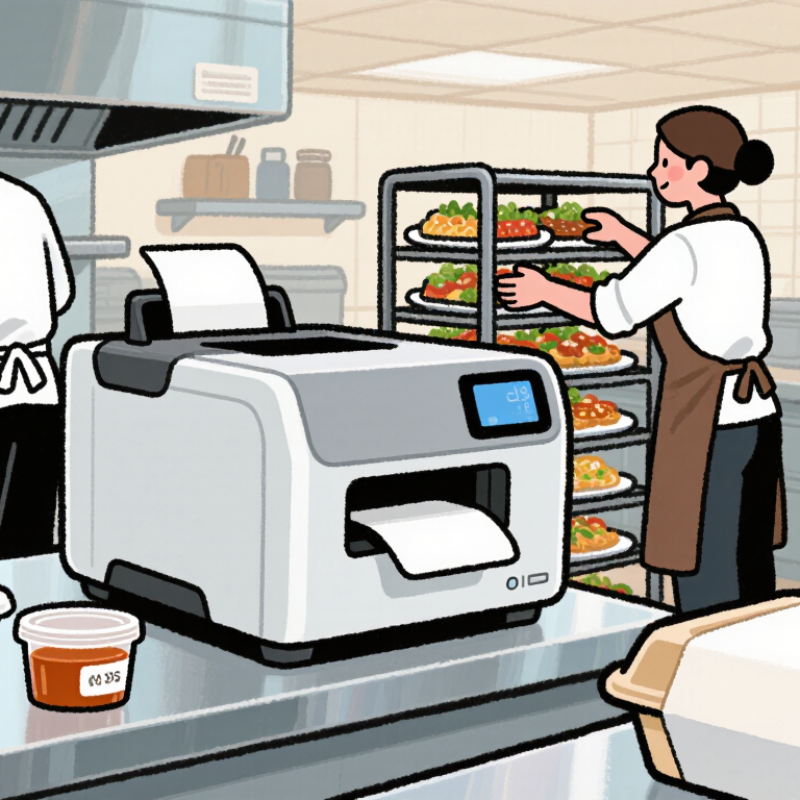
A busy kitchen cannot rely on handwritten labels and memory alone. Containers move quickly from preparation tables to refrigerators, delivery shelves, and service counters. A Food Service Label Printer creates clear, consistent labels for meals, ingredients, dates, allergens, and handling instructions. That visibility can reduce confusion during the busiest hours.

Mike Fairley, a respected label-industry consultant and editor, has often emphasized that “the label is a critical part of the product experience.” In food service, that experience begins before the customer takes a bite. A readable label helps staff identify a prepared sauce at 6 a.m., check its use-by time, and match it with the correct order. Small details matter.

Speed matters too.

Modern printers can produce labels on demand, reducing preprinted stock and unnecessary waste. Many models support thermal printing, durable adhesives, and compact designs for crowded preparation areas. Some connect with kitchen management or point-of-sale systems, improving accuracy when menus change.

Still, buying the most advanced printer is not automatically the best decision. Staff training, label durability, cleaning routines, and software compatibility deserve equal attention. A printer may be fast, yet unsuitable for cold storage or damp surfaces. That is an easy mistake.

The right Food Service Label Printer should fit the kitchen’s real workflow. It should support reliable identification without adding another complicated task. When selected carefully, it becomes more than office equipment. It becomes a practical control point for consistency, traceability, and safer daily operations.
Why Choose a Food Service Label Printer for Your Business?

Food Safety Compliance: FDA Food Code Requires 7-Day Date Marking for RTE Foods

In a busy commercial kitchen, a date label is more than a sticker. It is a safety control that makes time visible.

The FDA Food Code generally requires refrigerated, ready-to-eat time/temperature control foods to carry a date mark. These foods should be used, sold, or discarded within seven days. The preparation or opening day counts as day one. This rule is easy to misunderstand. Local authorities may adopt different editions or additional requirements. Check your jurisdiction before setting procedures.

A food service label printer makes compliance practical during rush periods. Staff can print the product name, preparation date, discard date, employee initials, and storage instruction in seconds. Clear labels reduce guesswork on crowded shelves. For example, soup prepared Monday and kept at 41°F or below may require a Sunday discard date. The label should show the exact date, not only “use soon.”

Small details matter. Ink must remain readable in cold, damp storage. Labels should adhere firmly without covering allergen or ingredient information. A printer cannot correct an incorrect date or unsafe refrigerator. Staff still need training, temperature checks, and shift-change verification. Not decoration.

I have seen teams trust neat labels too much. That is a useful warning. Reviewing discarded food can reveal overproduction, weak rotation, or confusing settings. Adjusting the template may help, but reviewing the process matters more. A well-designed label supports accountability without replacing careful judgment.

Traceability at Scale: GS1 Standards Support Billions of Daily Barcode Scans

Why Choose a Food Service Label Printer for Your Business?

Traceability at scale depends on readable, consistent data. GS1 reports that its standards support more than six billion barcode scans worldwide every day. In food service, a label can connect a prepared meal with its product code, lot number, production time, and use-by date. A food service label printer helps teams create this information near the point of work. It reduces handwritten errors and keeps labels consistent during busy shifts. GS1-128 and 2D barcodes can carry more data in less space. That matters when a small container holds several safety details.

The United Nations Food and Agriculture Organization estimates that 13% of food is lost between harvest and retail. Better identification cannot solve every waste problem. It can, however, support faster stock rotation and more precise recalls. Industry traceability reports also stress data accuracy across suppliers, kitchens, warehouses, and delivery points. A printer connected to verified product records makes that chain easier to audit. Still, automation is not perfect. A wrong item selected in the system creates a perfectly printed mistake.

Tips: Place printers close to preparation areas. Use durable, food-safe labels suited to moisture and temperature changes. Test barcode readability after refrigeration. Review date rules with trained staff. Keep a manual check for unusual batches. GS1 guidance recommends validating data before printing, not after an incident. Track failed scans weekly, because small errors become expensive at scale.

Why Choose a Food Service Label Printer for Your Business? - Traceability at Scale: GS1 Standards Support Billions of Daily Barcode Scans

Operational Dimension Relevant GS1 Data Element or Standard Typical Food-Service Use Business Value
Global product identification GTIN identifies a trade item; common formats include GTIN-12, GTIN-13, and GTIN-14. Identify ingredients, packaged foods, cases, and prepared items consistently across locations. Reduces duplicate item records and improves receiving and inventory accuracy.
Lot and batch traceability GS1 Application Identifier (10) represents a batch or lot number. Print lot information on labels for prepared meals, opened ingredients, and production batches. Supports targeted investigations, stock rotation, and faster withdrawal of affected items.
Date and shelf-life control GS1 Application Identifier (17) represents an expiration date; AI (11) represents a production date. Label use-by, best-before, production, or packing dates at the point of preparation. Helps staff apply date-based rotation procedures and limit avoidable food waste.
Quantity and variable measure GS1 Application Identifiers can encode variable-count, variable-measure, and quantity information, depending on the implementation. Track portions, weights, cases, and containers with different quantities. Improves stock counting and supports more precise costing and replenishment.
Barcode data capacity GS1-128, GS1 DataMatrix, and GS1 QR Code can carry a GTIN together with additional attributes such as lot and date data. Encode multiple traceability fields in one scannable label where the selected application supports them. Reduces manual keying and supports richer digital records than a basic product-only barcode.
High-volume scanning environment GS1 standards are designed for interoperable identification and data capture across supply-chain partners. Use standardized labels across purchasing, receiving, storage, preparation, service, and audit workflows. Makes food-service labeling easier to scale across multiple sites and systems.
Print-and-apply workflow Variable data can be printed at the time of production or packing, provided the barcode is generated according to the selected GS1 specification. Create labels containing item ID, lot, date, quantity, storage instructions, and handling details. Supports timely labeling and reduces reliance on handwritten information.
Traceability scale GS1 reports that barcodes based on its standards are scanned more than six billion times per day worldwide. Connect local food-service labeling practices with widely used identification and data-capture processes. Provides a scalable foundation for consistent scanning and product traceability.
Reference note: GS1 Application Identifiers and barcode capabilities depend on the selected symbol, data structure, scanner, software, and trading-partner requirements. The daily scanning figure is a published global estimate from GS1.

Waste Reduction: USDA Estimates 30–40% of the U.S. Food Supply Is Wasted

Why Choose a Food Service Label Printer for Your Business?

USDA estimates that 30–40% of the U.S. food supply is wasted. That figure becomes tangible in busy kitchens. Unmarked containers disappear behind newer batches. Prepared ingredients lose track of their storage time. Staff then discard food they cannot confidently identify. A food service label printer creates clear labels within seconds. Each label can show the item, preparation date, discard date, and employee initials. Small details matter.

The U.S. Environmental Protection Agency identifies food as the largest component of municipal solid waste sent to landfills. Its 2023 report estimated 66.2 million tons of wasted food generated across retail, food service, and residential sectors in 2019. Better labeling cannot solve overproduction. It can reduce avoidable mistakes, especially during shift changes and peak service. That supports safer rotation and more consistent inventory decisions.

In practice, operators should connect printed labels with daily prep sheets and waste logs. Compare discarded portions weekly. Look for repeated patterns, such as excess sauces every Friday. Then adjust purchasing or batch sizes. The printer is only one tool. It will not fix careless habits. A label may also be misapplied or ignored, so staff training still matters. These limitations deserve attention. Used with documented procedures, accurate labeling can make waste visible before it becomes expensive. Sources: USDA, Food Loss and Waste; U.S. EPA, From Farm to Kitchen: The Environmental Impacts of U.S. Food Waste, 2023.

Why Choose a Food Service Label Printer for Your Business?

USDA estimates that approximately 30–40% of the U.S. food supply is wasted. Clear food labels can support date tracking, inventory rotation, and better kitchen organization.

Estimated share of the U.S. food supply wasted: 30% lower estimate, 35% midpoint derived from the USDA range, and 40% upper estimate.

Source: USDA estimate that 30–40% of the U.S. food supply is wasted.

Operational Speed: Thermal Printers Produce Legible Labels Without Ink or Toner

Why Choose a Food Service Label Printer for Your Business?

During a busy lunch service, label speed can shape the entire handoff. A thermal food service label printer creates clear text and barcodes without ink or toner. This removes two routine delays: replacing cartridges and cleaning ink smears. Labels emerge quickly. Staff can mark prepared meals, delivery containers, and storage dates while food remains at a safe workstation. Clear printing also helps reduce confusion between similar orders.

From practical kitchen experience, readability often matters more than decorative color. Thermal printers produce sharp characters that remain easy to scan during peak periods. They also reduce the number of consumables stored near preparation areas. However, the process is not perfect. Some thermal labels fade under heat, moisture, or prolonged light exposure. Selecting suitable label stock and checking print contrast is essential. It happens.

Operators should test labels on chilled containers, wet gloves, and curved packaging before full deployment. Small trials reveal problems that specifications may miss. A rushed setup can still produce poor results, even with reliable equipment. Consistent formatting, routine cleaning, and brief staff training help maintain readable information. Label adhesion deserves attention too. A fast printer is unhelpful if labels peel from cold containers. Teams may need to review these conditions as menus, packaging, and service volumes change.

ROI Evaluation: Compare Labor, Waste, Compliance, and Labeling Costs Together

Why Choose a Food Service Label Printer for Your Business?

A food service label printer can improve return on investment when costs are measured together. Labor is often the easiest saving to see. Staff can print clear labels in seconds instead of writing them by hand. This reduces repeated tasks during busy preparation periods. It also lowers the risk of unreadable dates or product names. I have seen kitchens discover that faster labeling saved more time than expected.

Waste deserves equal attention. Accurate labels support better stock rotation and may prevent forgotten containers from being discarded. However, printer expenses still matter. Include label rolls, ink or thermal materials, maintenance, training, and replacement parts in your calculation. Compliance also has a financial value. Consistent labels can help staff follow internal food safety procedures and local requirements. Requirements differ, so verify them with qualified professionals.

Tips: Track labor minutes, discarded portions, labeling supplies, and correction incidents for four weeks. Compare those figures with the printer’s full operating cost. My first estimate ignored reprints and staff training. That made the projected ROI look too optimistic. A more honest review includes installation time, workflow changes, and occasional equipment downtime. Small details matter. Test the printer during peak service, not only during a quiet afternoon. Record printing speed, label durability, and ease of cleaning before making a final purchasing decision.